Content Status where content has been uploaded and published on LMS.

Low-risk TB Laboratories

Depending on the procedural risk in the TB lab, the lab is classified into low, moderate and high-risk categories.


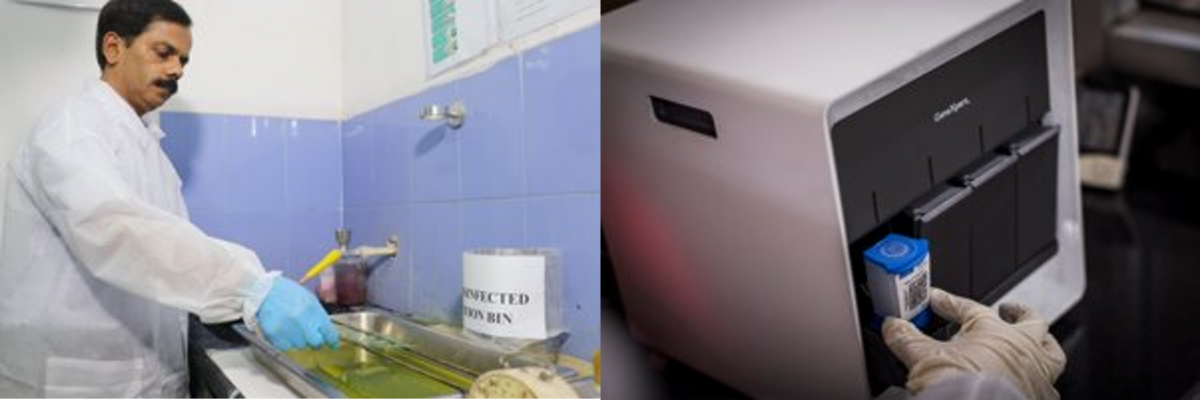
Low-risk TB laboratories work on sputum specimens for:

  1. Direct Acid-fast Bacilli (AFB) smear microscopy
  2. Cartridge-based Nucleic Acid Amplification Test (CBNAAT)/ Truenat

Figure 1: Procedures Conducted in a Low-Risk TB Lab


Ventilation in TB Laboratories as a Biosafety Measure

Ventilation is an essential biosafety design feature in a TB lab.


Laboratory ventilation has three basic elements: 

1. Ventilation rate  

Amount of outdoor air that flows into the laboratory.

2. Airflow direction 

Overall direction of air flowing through the laboratory should be from functionally clean areas to dirty areas.

3. Airflow pattern 

TB Laboratory Design and Facilities as a Biosafety Measure

The basic recommended design features of TB laboratories to ensure appropriate biosafety are:

  • Adequate ventilation and directional airflow; 6-12 air exchanges per hour (ACH) is adequate ventilation for TB laboratories.
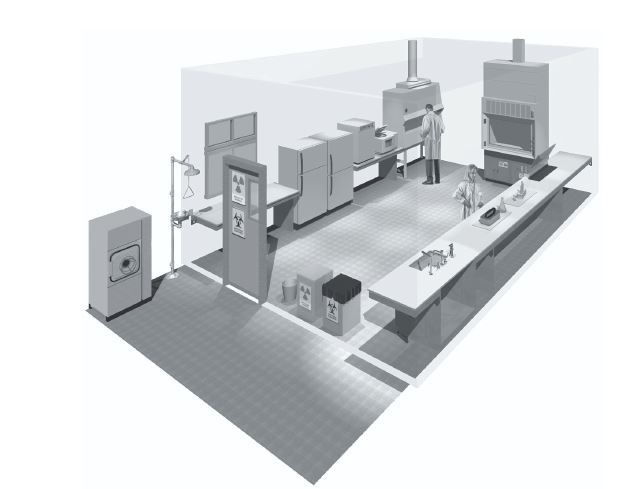
  • Ample space for the safe conduct of laboratory work and for cleaning and maintenance (Figure 1).


Figure 1: Ample and open spacing in an ideal TB lab


CBNAAT Monthly Data Archive and Data Back-up Process

The Cartridge-based Nucleic Acid Amplification Test (CBNAAT) files should be archived and saved to a CD or other appropriate external media (preferably an external drive), at least once a month to ensure that no test data are lost.

Archiving tests creates copies of the test data in “gxx” files. 

Importance of Archiving and Back-up 

Archiving allows you to:

1. Back-up data to ensure it will not be lost if the computer breaks down.

Monitoring Different Types of Errors with CBNAAT

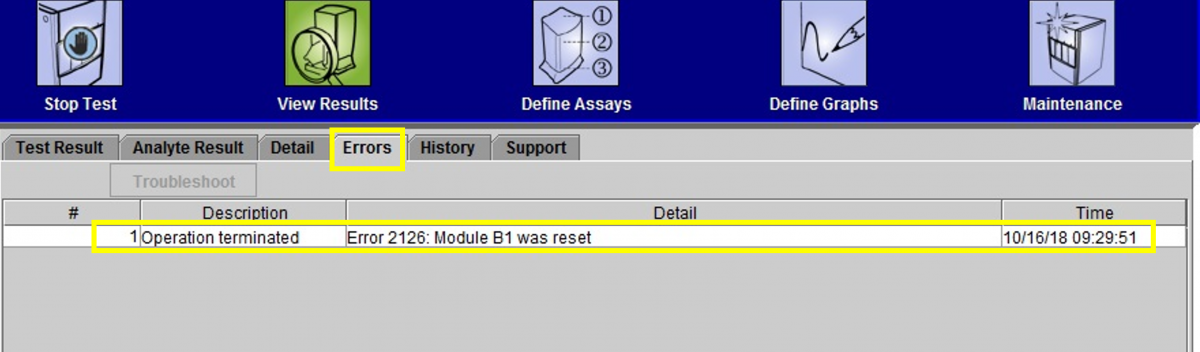
While using the CBNAAT machine in a laboratory setting, many different causes can lead to an error (indicated on-screen as ‘ERROR’, as in figure 1).

Figure 1: Window showing how to click on “Errors” to learn more about the issue

Error Message Categories

The errors are displayed by the instrument’s software to highlight various technical issues that disrupt the test process. They are grouped into five categories by the software:

Subscribe to Published on LMS