

Content Status
Type
Linked Node
Content
- Use the sterile transfer pipette provided in the CBNAAT kit to draw liquefied sample into the transfer pipette
- The minimum amount to be loaded into the cartridge is 2 ml
- Do not process the sample if there is insufficient volume
- Open the cartridge lid
- Transfer the sample into the open port (Figure 1) of the CBNAAT cartridge and dispense slowly to minimize the risk of aerosol formation
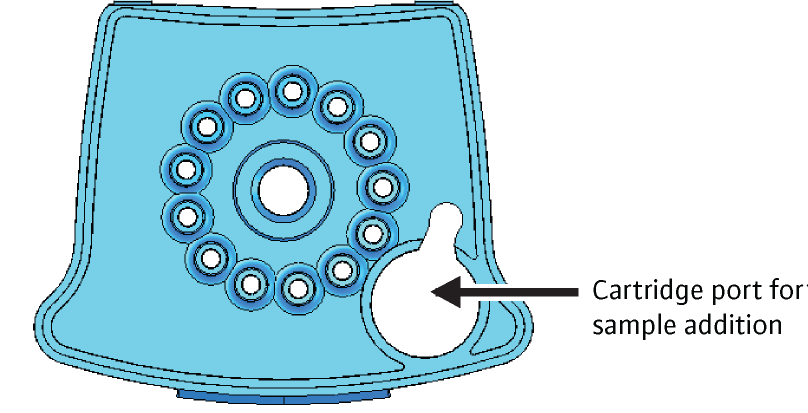
Figure 1: CBNAAT cartridge (top view) to show the open port
(SOP for GeneXpert MTB/RIF)
- Discard the transfer pipette
- Snap the lid shut to close firmly
- Turn on the CBNAAT instrument
- Open the instrument module door, which displays the blinking green light
- Load the cartridge and close the door of the module firmly
- The test should be started within 30 minutes of adding liquefied sample to the cartridge
- The remaining liquefied sample may be kept for up to 12 hours at 2-8°C (for repeat testing)
Video file
Video 1: CBNAAT loading
Video file
Video 2: Sample Loading (Demonstration)
Resources
LMS Page Link
Content Creator
Reviewer
Target Audience
- Log in to post comments